
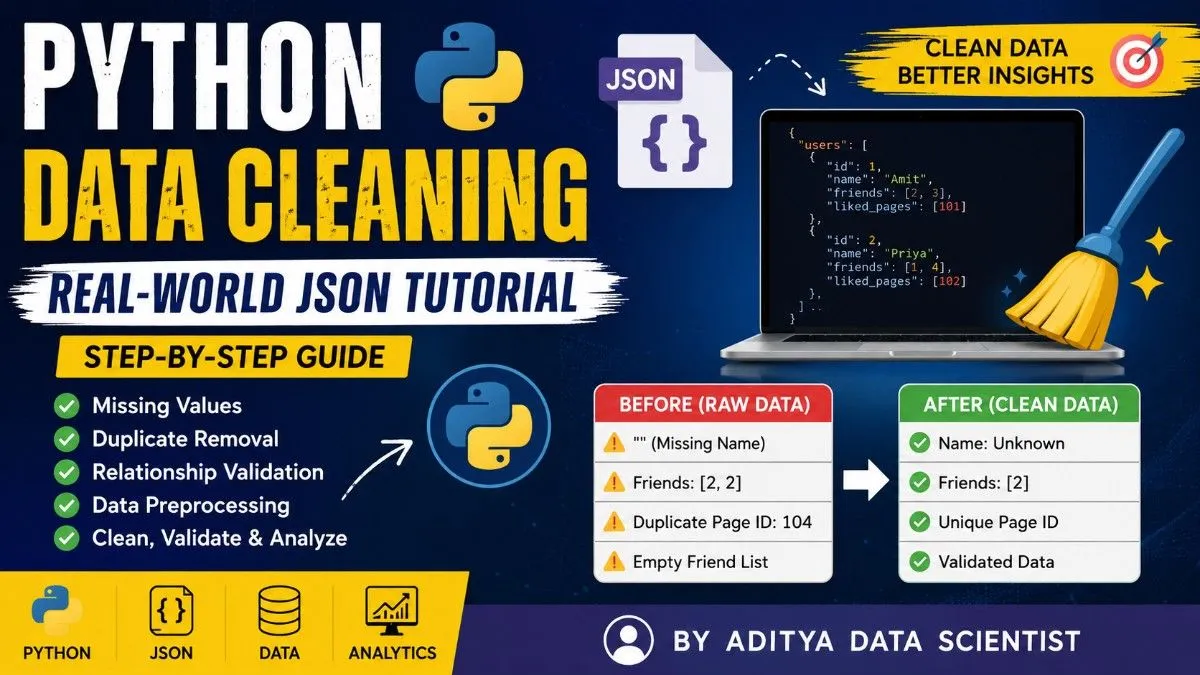
Python Data Cleaning Tutorial: Learn Real-World JSON Data Cleaning Step-by-Step
Data Cleaning is one of the most important skills in Data Science. Most beginners focus only on Machine Learning and AI, but in reality, professional Data Scientists spend most of their time cleaning, validating, structuring, and analyzing messy data.
In this tutorial, you will learn:
- How to inspect messy JSON data
- How to detect data problems
- How to clean duplicate records
- How to validate relationships
- How to normalize datasets
- How professional Data Scientists think
This guide is beginner-friendly and designed to help you build strong Data Science fundamentals using Python.
Why Data Cleaning is Important
Real-world data is never perfect.
Datasets often contain:
- Missing values
- Duplicate records
- Invalid relationships
- Empty fields
- Broken IDs
- Inconsistent formatting
If your data is not cleaned properly:
- Analytics become wrong
- Dashboards become unreliable
- Machine Learning models fail
- Business decisions become inaccurate
That is why Data Cleaning is one of the most valuable skills in Data Science.
Example JSON Dataset
We will work with this real-world style JSON dataset.
{
    "users": [
        {"id": 1, "name": "Amit", "friends": [2, 3], "liked_pages": [101]},
        {"id": 2, "name": "Priya", "friends": [1, 4], "liked_pages": [102]},
        {"id": 3, "name": "", "friends": [1], "liked_pages": [101, 103]},
        {"id": 4, "name": "Sara", "friends": [2, 2], "liked_pages": [104]},
        {"id": 5, "name": "Amit", "friends": [], "liked_pages": []}
    ],
    "pages": [
        {"id": 101, "name": "Python Developers"},
        {"id": 102, "name": "Data Science Enthusiasts"},
        {"id": 103, "name": "AI & ML Community"},
        {"id": 104, "name": "Web Dev Hub"},
        {"id": 104, "name": "Web Development"}
    ]
}
Step 1 — Load JSON Data in Python
First, import the JSON module and load the dataset.
import json

with open("data.json", "r") as f:
    data = json.load(f)
Understanding the Code
| Code | Meaning |
| open() | Opens the file |
| "r" | Read mode |
| json.load() | Converts JSON into Python dictionary |
| data | Stores the dataset |
Step 2 — Understand the Data Structure
Before cleaning data, professional Data Scientists inspect the structure carefully.
print(data.keys())
Output:
dict_keys(['users', 'pages'])
This means our dataset contains:
- users
- pages
Step 3 — Find Missing Names
One user has an empty name.
Problem:
{"id": 3, "name": ""}
Detect Missing Values
for user in data['users']:

    if user['name'] == "":
        print("Missing name:", user)
Why This Matters
Missing values can break:
- reports
- analytics
- dashboards
- Machine Learning systems
Step 4 — Find Duplicate User Names
Notice:
"Amit"
appears twice.
Detect Duplicate Names
names = []

for user in data['users']:

    if user['name'] in names:
        print("Duplicate name:", user['name'])

    names.append(user['name'])
Step 5 — Find Duplicate Friend IDs
Sara has:
"friends": [2,2]
This means duplicate relationships exist.
Detect Duplicate Friends
for user in data['users']:

    if len(user['friends']) != len(set(user['friends'])):

        print("Duplicate friends found:", user['name'])
Understanding set()
set([2,2])
becomes:
{2}
set() automatically removes duplicates.
Step 6 — Find Duplicate Page IDs
Notice:
104
exists twice inside pages.
Duplicate IDs are dangerous in databases because IDs should always be unique.
Detect Duplicate Page IDs
page_ids = []

for page in data['pages']:

    if page['id'] in page_ids:

        print("Duplicate Page ID:", page)

    page_ids.append(page['id'])
Step 7 — Find Users with No Friends
Some users may have empty friend lists.
Detect Empty Friend Lists
for user in data['users']:

    if len(user['friends']) == 0:

        print(user['name'], "has no friends")
Step 8 — Clean Missing Names
Now we start cleaning the dataset.
Replace Empty Names
for user in data['users']:

    if user['name'] == "":

        user['name'] = "Unknown"
Why This Helps
Instead of keeping broken data:
""
we replace it with:
"Unknown"
This makes the dataset more structured and usable.
Step 9 — Remove Duplicate Friends
Cleaning Duplicate Relationships
for user in data['users']:

    user['friends'] = list(set(user['friends']))
Before Cleaning
[2,2]
After Cleaning
[2]
Step 10 — Remove Duplicate Page IDs
Professional systems always maintain unique IDs.
Remove Duplicate Pages
unique_pages = []

seen_ids = []

for page in data['pages']:

    if page['id'] not in seen_ids:

        unique_pages.append(page)

        seen_ids.append(page['id'])

data['pages'] = unique_pages
Step 11 — Validate Friend Relationships
What if a friend ID does not exist?
Professional Data Scientists validate relationships.
Create User ID Lookup
user_ids = []

for user in data['users']:

    user_ids.append(user['id'])
Validate Friend IDs
for user in data['users']:

    valid_friends = []

    for friend_id in user['friends']:

        if friend_id in user_ids:

            valid_friends.append(friend_id)

    user['friends'] = valid_friends
Step 12 — Create Final Cleaning Function
Now combine everything into a professional cleaning pipeline.
def clean_data(data):

    # CLEAN MISSING NAMES
    for user in data['users']:

        if user['name'] == "":
            user['name'] = "Unknown"

    # REMOVE DUPLICATE FRIENDS
    for user in data['users']:

        user['friends'] = list(set(user['friends']))

    # REMOVE DUPLICATE PAGE IDs
    unique_pages = []

    seen_ids = []

    for page in data['pages']:

        if page['id'] not in seen_ids:

            unique_pages.append(page)

            seen_ids.append(page['id'])

    data['pages'] = unique_pages

    return data
Step 13 — Run the Cleaning Function
cleaned_data = clean_data(data)
Step 14 — Save Cleaned Data
Professional Data Scientists always save cleaned datasets.
with open("cleaned_data.json", "w") as f:

    json.dump(cleaned_data, f, indent=4)
Final Cleaned Dataset Example
{
    "users": [
        {"id": 1, "name": "Amit", "friends": [2, 3], "liked_pages": [101]},
        {"id": 2, "name": "Priya", "friends": [1, 4], "liked_pages": [102]},
        {"id": 3, "name": "Unknown", "friends": [1], "liked_pages": [101, 103]},
        {"id": 4, "name": "Sara", "friends": [2], "liked_pages": [104]},
        {"id": 5, "name": "Amit", "friends": [], "liked_pages": []}
    ],
    "pages": [
        {"id": 101, "name": "Python Developers"},
        {"id": 102, "name": "Data Science Enthusiasts"},
        {"id": 103, "name": "AI & ML Community"},
        {"id": 104, "name": "Web Dev Hub"}
    ]
}
What You Learned
| Skill | Importance |
| Data Inspection | Understand dataset quality |
| Missing Value Handling | Improve reliability |
| Deduplication | Remove repeated records |
| Relationship Validation | Maintain database integrity |
| JSON Processing | Handle structured data |
| Data Cleaning Pipelines | Real-world Data Science workflow |
Real Data Science Mindset
Weak programmers:
- Just print data
Strong Data Scientists:
- Inspect data
- Audit quality
- Clean datasets
- Validate relationships
- Structure information
- Generate insights
Real Data Science is:
Raw Data → Clean Data → Insights → Decisions
Practice Tasks
Try solving these yourself:
- Find the most liked page
- Find users with the most friends
- Replace friend IDs with friend names
- Create page lookup dictionary
- Generate analytics report
- Count total friendships
- Find inactive users
Final Thoughts
Data Cleaning is one of the most important skills in Data Science.
Before building Machine Learning models, professional Data Scientists spend most of their time:
- understanding data
- cleaning datasets
- validating relationships
- structuring information
- generating business insights
If you master Data Cleaning and JSON processing using Python, your Data Science foundation becomes extremely strong.