
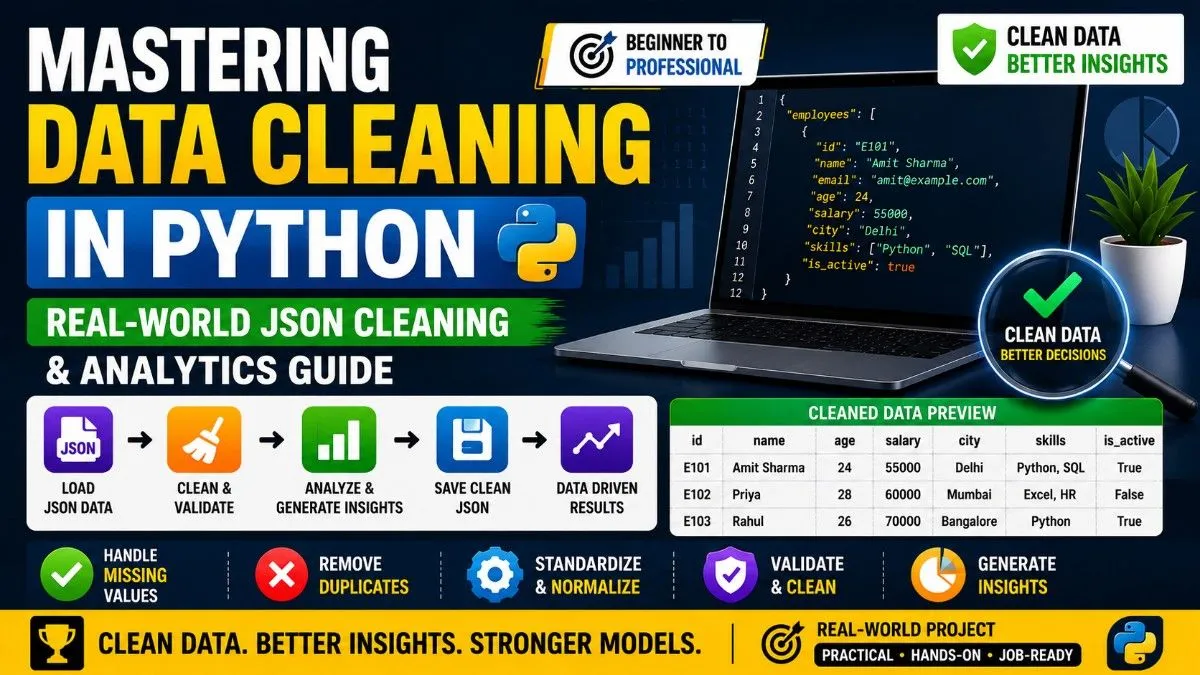
Mastering Data Cleaning in Python: A Real-World Beginner to Professional Guide
Data cleaning is one of the most important skills in Data Science. Most beginners think Data Science is only about Machine Learning and AI, but in reality, professional Data Scientists spend most of their time cleaning, structuring, and validating messy data.
In this blog, we will learn:
- How to load JSON data
- How to inspect messy datasets
- How to clean real-world data
- How to generate insights
- How to save cleaned data
- How professional Data Scientists think
Why Data Cleaning Matters
Real-world data is never perfect.
You will encounter:
- Missing values
- Invalid emails
- Wrong data types
- Duplicate values
- Mixed date formats
- Inconsistent capitalization
- Broken records
- Nested JSON structures
If your data is not cleaned properly:
- Analytics become wrong
- Dashboards become unreliable
- Machine Learning models fail
- Business decisions become inaccurate
That is why Data Cleaning is one of the most valuable skills in Data Science.
Step 1 — Create a Realistic JSON Dataset
Save this file as:
company_data.json
{
  "employees": [

    {
      "id": "E101",
      "name": " Amit Sharma ",
      "email": "AMIT@example.COM ",
      "age": "24",
      "salary": "55000",
      "department": "it",
      "city": "delhi ",
      "skills": ["Python", "SQL", "python"],
      "projects_completed": "12",
      "is_active": "TRUE"
    },

    {
      "id": "E102",
      "name": "",
      "email": "priyaexample.com",
      "age": null,
      "salary": null,
      "department": "HR",
      "city": "Mumbai",
      "skills": ["Excel", "Communication"],
      "projects_completed": "five",
      "is_active": "False"
    },

    {
      "id": "E103",
      "name": "RAHUL",
      "email": "rahul@example.com",
      "age": "twenty six",
      "salary": "70000",
      "department": null,
      "city": "BANGALORE",
      "skills": [],
      "projects_completed": "-3",
      "is_active": true
    }
  ]
}
Step 2 — Load the JSON File
import json

def load_data(filename):

    with open(filename, "r") as f:
        return json.load(f)

data = load_data("company_data.json")
Understanding the Code
json.load(f)
Converts JSON file data into Python dictionaries and lists.
with open()
Safely opens and closes the file automatically.
return
Returns data back so it can be reused.
Step 3 — Inspect Raw Data
Professional Data Scientists NEVER clean blindly.
First, inspect the dataset.
print(type(data))
print(data.keys())
print(len(data['employees']))
print(data['employees'][0])
This helps us understand:
- Structure
- Columns
- Missing values
- Data quality
- Nested relationships
Step 4 — Detect Missing Values
for emp in data['employees']:

    for key, value in emp.items():

        if value is None or value == "":
            print(emp['id'], "missing", key)
Why This Matters
Missing values are one of the biggest problems in real-world datasets.
Examples:
- Missing salary
- Missing email
- Missing age
- Empty names
Professionals audit datasets before cleaning them.
Step 5 — Create the Cleaning Function
Now we create a professional cleaning pipeline.
def clean_data(data):

    cleaned_employees = []

    for emp in data['employees']:

        # CLEAN NAME
        name = emp['name'].strip().title()

        if name == "":
            name = "Unknown"

        # CLEAN EMAIL
        email = emp['email'].strip().lower()

        if "@" not in email:
            email = None

        # CLEAN AGE
        try:
            age = int(emp['age'])
        except:
            age = None

        # CLEAN SALARY
        try:
            salary = float(emp['salary'])
        except:
            salary = 0

        # CLEAN DEPARTMENT
        dept = emp['department']

        if dept:
            dept = dept.upper()

        # CLEAN CITY
        city = emp['city'].strip().title()

        # CLEAN SKILLS
        skills = []

        for skill in emp['skills']:
            skills.append(skill.lower())

        skills = list(set(skills))

        # CLEAN PROJECTS
        try:
            projects = int(emp['projects_completed'])

            if projects < 0:
                projects = 0

        except:
            projects = 0

        # CLEAN BOOLEAN
        active = str(emp['is_active']).lower()

        is_active = active in ['true', '1', 'yes']

        cleaned_employees.append({

            "id": emp['id'],
            "name": name,
            "email": email,
            "age": age,
            "salary": salary,
            "department": dept,
            "city": city,
            "skills": skills,
            "projects_completed": projects,
            "is_active": is_active

        })

    return {"employees": cleaned_employees}
Step 6 — Run the Cleaning Pipeline
cleaned_data = clean_data(data)
At this stage:
- Invalid emails become None
- Names are standardized
- Salary becomes numeric
- Duplicate skills are removed
- Boolean values become consistent
- Negative project counts are fixed
Step 7 — Generate Business Insights
This is where cleaned data becomes valuable.
Total Employees
print("Total Employees:", len(cleaned_data['employees']))
Average Salary
total_salary = 0
count = 0

for emp in cleaned_data['employees']:

    if emp['salary'] > 0:
        total_salary += emp['salary']
        count += 1

average_salary = total_salary / count

print("Average Salary:", average_salary)
Most Skilled Employee
max_skills = 0
top_employee = ""

for emp in cleaned_data['employees']:

    if len(emp['skills']) > max_skills:

        max_skills = len(emp['skills'])
        top_employee = emp['name']

print(top_employee, "has most skills")
Active Employees
for emp in cleaned_data['employees']:

    if emp['is_active']:
        print(emp['name'], "is active")
Step 8 — Save the Cleaned Dataset
Professional workflows always save cleaned datasets.
def save_data(data, filename):

    with open(filename, "w") as f:

        json.dump(data, f, indent=4)

save_data(cleaned_data, "cleaned_company_data.json")
This creates a new clean JSON file ready for:
- Analytics
- Dashboards
- Machine Learning
- APIs
- Reporting
Key Data Cleaning Concepts You Learned
| Concept | Purpose |
| .strip() | Remove extra spaces |
| .lower() | Normalize text |
| .title() | Standardize capitalization |
| try/except | Handle invalid data safely |
| set() | Remove duplicates |
| Validation | Ensure data quality |
| Type conversion | Convert strings to numbers |
| Boolean normalization | Standardize True/False |
How Professional Data Scientists Think
Weak programmers:
- Just print data
Strong Data Scientists:
- Inspect data
- Validate data
- Normalize formats
- Detect anomalies
- Build pipelines
- Generate insights
Real Data Science is:
Raw Data → Clean Data → Insights → Decisions
Final Thoughts
If you want to become a strong Data Scientist, master:
- JSON handling
- Data structures
- Cleaning pipelines
- Validation
- Relationships
- Data transformations
Machine Learning becomes much easier once your data understanding becomes strong.
Remember:
The quality of your model depends on the quality of your data.
Clean data creates powerful systems.
Practice Tasks
Try solving these yourself:
- Find invalid emails
- Count employees department-wise
- Find highest salary employee
- Count skill frequency
- Find employees with missing age
- Create an analytics report dictionary
- Export cleaned data to a new JSON file